Tuesday, January 23, 2007

Setting up Sun Rays on Solaris 10

I am committing a bunch of notes to blog. Somebody, somewhere may find this useful, and they won't find it if it's locked away in my $HOME.

  1. Install Solaris 10

  2. Apply latest cluster patch

  3. Install latest PC/SC SRCOM Bypass package (available to download from the Sun download Center http://www.sun.com/download/products.xml?id=42c5d3d9 ). This was not obvious in the supplied installation documentation. This must be installed for smartcards and hot-desking to work. This is only required for Solaris 10.

  4. download and unzip the latest Sun Ray Server Software from http://www.sun.com/software/sunray/getit.jsp

  5. run srss3.1/utinstall – this will install the software

  6. reboot

  7. connect up Sun Ray DTU's

  8. It seems that if you only have one NIC on your server box then you can only do a shared network configuration. So run: /opt/SUNWut/sbin/utadm -A

  9. The defaults values looked incomplete to me, so I suggest not accepting them. Instead, go through all the questions and answer them with the correct information.

bash-3.00# ./utadm -A bge0 Error: unable to resolve network name: "bge0"
bash-3.00# ./utadm -A 192.168.1.0
### Configuring /etc/nsswitch.conf
### Configuring Service information for Sun Ray
### Disabling Routing
Selected values for subnetwork "192.168.1.0"
net mask: 255.255.255.0
no IP addresses offered
auth server list: 192.168.1.10
firmware server: 192.168.1.10
Accept as is? ([Y]/N): n
netmask: 255.255.255.0 (cannot be changed - system defined netmask)
Do you want to offer IP addresses for this subnet? (Y/[N]): y
new first Sun Ray address: [192.168.1.245] 192.168.1.100
number of Sun Ray addresses to allocate: [155] 10
auth server list: 192.168.1.10
To read auth server list from file, enter file name:
Auth server IP address (enter to end list): 192.168.1.10
Auth server IP address (enter to end list):
If no server in the auth server list responds,
should an auth server be located by broadcasting on the network? ([Y]/N):
new firmware server: [192.168.1.10]
new router: [192.168.1.1]
Selected values for subnetwork "192.168.1.0"
net mask: 255.255.255.0
first unit address: 192.168.1.100
last unit address: 192.168.1.109
auth server list: 192.168.1.10
firmware server: 192.168.1.10
router: 192.168.1.1
Accept as is? ([Y]/N): y
### Configuring firmware version for Sun Ray
### Successfully enabled tftp for firmware downloads
All the units served by "demo" on the 192.168.1.0
network interface, running firmware other than version
"3.1_32,REV=2005.08.24.08.55" will be upgraded at their next power-on.
### Configuring Sun Ray Logging Functions
### Turning on Sun Ray LAN connection NOTE:
utrestart must be run before LAN connections will be allowed
DHCP is not currently running, should I start it? ([Y]/N): y
  1. run /opt/SUNWut/sbin/utconfig

bash-3.00# ./utconfig Configuration of Sun Ray server Software
This script automates the configuration of the Sun Ray server software
and related software products.
Before proceeding, you should have read the Sun Ray server 3.1 Installation
Guide and filled out the Configuration Worksheet.
This script will prompt you for the values you filled out on the Worksheet.
For your convenience, default values (where applicable) are shown in brackets.
Continue ([y]/n)?
Enter Sun Ray admin password:
Re-enter Sun Ray admin password:
  1. This script will automatically set up apache as the admikn console for you.
    If you are already using apache for something else, then answer no here.
Configure Sun Ray Web Administration? ([y]/n)? y
An installation of Apache Web Server version 1.3 has been detected at /etc/apache.
This script can configure the Apache server on this server for you.
Warning: if you choose to configure Apache, the existing Apache configuration
file will be over-written.
If this server is presently configured as a Webserver and you want to preserve your
current configuration, you must answer "NO" and merge the configuration file manually
by following the instructions in the Administration Guide on how to configure the
Apache server.
Would you like to configure this server to host the Sun Ray Web Administration? ([y]/n)? y
Enter port number [1660]:
Enter CGI username [utwww]:
Enable remote server administration? (y/[n])?
  1. Controlled Access Mode is the Sun Ray term for kiosk mode. If you wish to use it, you must say yes here. If you say no and change your mind, then you need to come back and rerun utconfig. Same goes for failover groups.

Configure Controlled Access Mode? (y/[n])? n
Configure this server for a failover group? (y/[n])? n
About to configure the following software products:
Sun Ray Data Store 2.1
Hostname: demo
Sun Ray root entry: o=utdata
Sun Ray root name: utdata
Sun Ray utdata admin password: (not shown)
SRDS 'rootdn': cn=admin,o=utdata
Apache Web Server 1.3
Apache Web Server port number: 1660
Remote server administration: no
CGI username: utwww Sun Ray server 3.1
Failover group: no
Controlled Access Mode: no
Continue ([y]/n)? y
Updating Sun Ray Data Store schema ...
Updating Sun Ray Data Store ACL's ...
Creating Sun Ray Data Store Datastore ...
Restarting Sun Ray Data Store ...
Starting Sun Ray Data Store daemon .
Mon Oct 16 15:23 : utdsd starting
Loading Sun Ray Data Store ...
Executing '/usr/bin/ldapadd -p 7012 -D cn=admin,o=utdata' ...
adding new entry o=utdata adding new entry o=v1,o=utdata
adding new entry utname=demo,o=v1,o=utdata
adding new entry utname=desktops,utname=demo,o=v1,o=utdata
adding new entry utname=users,utname=demo,o=v1,o=utdata
adding new entry utname=logicalTokens,utname=demo,o=v1,o=utdata
adding new entry utname=rawTokens,utname=demo,o=v1,o=utdata
adding new entry utname=multihead,utname=demo,o=v1,o=utdata
adding new entry utname=container,utname=demo,o=v1,o=utdata
adding new entry utname=properties,utname=demo,o=v1,o=utdata
adding new entry cn=utadmin,utname=demo,o=v1,o=utdata
adding new entry utname=smartCards,utname=demo,o=v1,o=utdata
adding new entry utordername=probeorder,utname=smartCards,utname=demo,o=v1,o=utdata
adding new entry utname=policy,utname=demo,o=v1,o=utdata
adding new entry utname=resDefs,utname=demo,o=v1,o=utdata
adding new entry utname=prefs,utname=demo,o=v1,o=utdata
adding new entry utPrefType=resolution,utname=prefs,utname=demo,o=v1,o=utdata
adding new entry utPrefClass=advisory,utPrefType=resolution,utname=prefs,utname=demo,o=v1,o=utdata
Added 18 new LDAP entries.
Creating Sun Ray server Configuration ...
Adding user account for 'utwww' (ut admin web server cgi user) ...
/usr/apache/bin/apachectl restart: httpd not running,
trying to start /usr/apache/bin/apachectl restart: httpd started
Unique "/etc/opt/SUNWut/gmSignature" has been generated.
Restarting Sun Ray Data Store ...
Stopping Sun Ray Data Store daemon .Sun Ray Data Store daemon stopped
Starting Sun Ray Data Store daemon .
Mon Oct 16 15:23 : utdsd starting
Adding user admin ...
User(s) added successfully!
***********************************************************
The current policy has been modified.
You must restart the authentication manager to activate the changes.
***********************************************************
Configuration of Sun Ray server has completed.
Please check the log file, /var/adm/log/utconfig.2006_10_16_15:16:55.log,
for errors.
bash-3.00#
  1. Synchronise the firmwares on the DTU's.

bash-3.00# ./utfwsync
Stopping Authentication Managers on demo ...
Will restart Authentication Managers in 5 seconds
Restarting Authentication Managers ...
bash-3.00#
  1. Reboot the server


Other points of Note


If you need to change anything in utconfig, then you get a cleaner change by unconfiguring and then reconfiguring from scratch:


/opt/SUNWut/sbin/utconfig -u /opt/SUNWut/sbin/utconfig 
 

Setting up postfix with midco as a smarthost

This is specifically for Midcontinent's ISP, but it should work for any place where the smarthost requires authentication, and is picky about your mail headers.

1. Install Postfix

Installed by default on Ubuntu. On centos, I di the yum install postfix before I did the yum remove sendmail as it meant yum wouldnt try to remove a whole bunch of stuff where an MTA is a dependancy.

2. Configure mail relaying

add the following to /etc/postfix/main.cf

relayhost = smtp.midco.net


Midco also require you to authenticate before it will receive mail. So you need to add the following. You also need to tell postfix a username and password - we'll see that later.

smtp_sasl_auth_enable=yes
smtp_sasl_password_maps=hash:/etc/postfix/sasl_passwd
smtp_sasl_security_options=

Next, midco rejects mail with a bad from address. So, you need to masqquerade all outgoing mail. Add this to /etc/postfix/main.cf:

smtp_generic_maps = hash:/etc/postfix/generic


3. Edit /etc/postfix/sasl_passwd

Put your midco mail username and password in here. Use the following format:
relayhost username:password
so it should look something like this:

smtp.midco.net your.mailbox@bis.midco.net:yourmailboxpassword


4. Edit /etc/postfix/generic

Here you make a list of what you want to masquerade from and to. So, we want everything going out to look like it is part of the midco happy family. I solved this problem for a trixbox installation, so my file looked like this:

@asterisk1.local my.mailbox@bis.midco.net


This tells postfix to replace anthing from the host asterisk1.local (which is the trixbox) with my midco email address. It may look confusing to the recipient, which is unfortunate. You may be able to mess with the bit before the @ sign, but the stuff after has to be a proper domain name.

5. Make these files readable by postfix.

You need to encode the files you have just created.

postmap /etc/postfix/sasl_passwd
postmap /etc/postfix/generic
You should now see /etc/postfix/sasl_passwd.db and /etc/postfix/generic.db

6. Secure your files.

There are passwords in plaintext, so lets secure them.

chown root:root /etc/postfix/sasl_passwd
chmod 600 /etc/postfix/sasl_passwd


7. Restart Postfix and test.

/etc/init.d/postfix restart

Now send an email somewhere. Watch the logs in /var/log/maillog. All being well, the mail should sail on through the mail system.

Saturday, January 20, 2007

Winter Sun


IMG_2974, originally uploaded by mr-potter.

It was quite warm today. The temperature reached the high 30's F (about 4C), which compared to -15F (-26C) at the beginning of the week, it felt pretty warm.

So, while the weather was balmy, we went barmy, and played outside. We had doors and windows open and aired the house out.

So here we are, sitting on deck chairs in the sunshine, with a snow drift behind us. Talk about crazy. Although, do bear in mind that if we were real North Dakotans, we would be sitting out there in short sleeves.

Thursday, December 28, 2006

IT would be fun to be a train driver in Bismarck

One of the curious things about Bismarck is that there is a train track that goes right through the centre of it. That in itself is not unusual. This track however crosses some of the main thoroughfares of Bismarck. Some are bridges, but there are many level crossings too.

The trains come through in a sporadic, yet steady stream all day and night. Every time they cross a bridge, or a road they hoot their horn. I bet the drivers derive great satisfaction at driving a train through town in the middle of the night hooting their horn for all they are worth.

It seems like the biggest impediment to the smooth flow of traffic in Bismarck is not cars, but trains. These trains are pretty long. I think 100 trucks is not unusual. So, when they come through town during a busy time, then they can stop traffic downtown for a good 5 minutes.

There was once, on my way home from work when a train crossed one of the main roads and then stopped with the train still blocking the road. They then fooled around for a few minutes doing I don't know what, then they very slowly reversed the train bac the way it came.

Holding up traffic while you shunt - that has to make the job a whole lot more fun.

Saturday, December 16, 2006

Starting Avahi Daemon in Edgy

OK, this has bitten me twice now, so I guess that makes it a good reason to blog it.


If you find that avahi daemon is not starting for you, then you probably need to set AVAHI_DAEMON_START=1 in /etc/default/avahi-daemon


Twice now I have found that an Ubuntu Edgy install has not started this and twice I have ended up reading init scripts to work out why. So, now we know.

Monday, September 04, 2006

Vultures

CRW_2291
CRW_2291,
originally uploaded by mr-potter.
We were reading in the Bismarck Tribune yesterday about a bunch of turkey vultures that have decided to roost on the water tower 2 blocks away from our house. I went to have a look last night. There were loads of them all perched on different bits of the twoer.

Just before we put the kids to bed this evening, we looked out that way, and we watched toem coming in to roost. There were tens of birds swooping in from all ditrections. They circled the water tower for a while and then they disappeared behind the trees. I tried to take a photo of that too, but the pictures didn't really turn out. If I get a better shot I will post it on flickr.

Check out some more of my vulture shots on flickr.

Sunday, September 03, 2006

I have a job!

I now have a job to go to. Starting Tuesday 5th September. I will be working for a local engineering firm as a developer in ther IT section.


I am looking forward to getting back to work after a three month break. It will be good to finally get back into real life again. I'm sure I am going to suffer some more culture shock in the next coming weeks. I think there are going to be some aspects of working in the private sector in Bismarck that are different to working in the public sector in Edinburgh.

Sunday, August 20, 2006

Somebody else is making a big move

Justin is moving to Florida. He is keeping a photo diary of the five day drive on Flickr.


Nice one Justin - keep it up, and good luck in Florida.

Saturday, August 19, 2006

and we're back

The cable guy came yesterday and hooked us up. So now we're back on line.


In other news, we heard from the movers (after giving them a poke) that our stuff will be loaded on to a boat on the 25th August. Hopefully we will see it sooner rather than later.


The house is coming together. The washer, dryer and freezer came Thursday, I fanally got the locks changed and the passage locks on the bedroom doors removed and replaced with shiny new door handles. We are still waiting for the lounge suite to arrive. It's all ready bar one arm chair. We may get them to deliver what they've got and pick up the chair once it is ready. Then we will have something to sit on and watch telly on.


More to follow...

Sunday, August 13, 2006

signing off (again)

We have moved into our new house. We don't have internet access yet. In the meantime I will be checking in as often as I can. More later.....

Tuesday, July 25, 2006

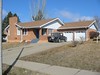
Our new house

Front
Front,
originally uploaded by twooldbobcats.
I think it is now safe enough to announce this...

We have bought a new house. We should get the keys on the 31st July.

The online schedule can be found here (while the detailos are still up.) and some photos taken by my Father in law are here

A Long Way Behind

I just called the company who is moving our stuff over here. It seems that it's all still in the UK. I was hoping it would be further along than it is. So, it looks like our stuff is still weeks away.


I suppose the best we can hope for is that when it does start to move, then it travels to us quickly.

Wednesday, July 12, 2006

It's Hot!

The thermometer out on the deck says it is 103 degrees Fahrenheit - which is about 30 - 40 Celsius. That's Hot! In fact, I would say that it is unpleasantly so.

Monday, July 03, 2006

Step one of naturalisation complete

IMG_2911
IMG_2911,
originally uploaded by mr-potter.
You may think this is a weird thing to blog about, but this is the first pair of trainers / sneakers/ tennis shoes/ whatever I have owned since high school. I don't remember ever owning white ones - although I'm sure my mum will put me right on that. I haven't owned white athletic socks since high school either.

So, now you know why I blogged this. It's quite a big step for me; but when in Rome and all that....

Friday, June 30, 2006

We are still alive

Honest!


We have been in Bismarck 10 days now. We are settling in nicely. Believe me, there has been an awful lot of stuff happening; I just don't want to pre-announce anything that may fall through.


So, stay tuned, and things will start to happen over the next few weeks.

Thursday, June 22, 2006

Safely Arrived

It has been two days since we arrived, so I should talk about the trip while it is still relevant.


All in all it was a pretty smooth trip. The Amsterdam to Minneapolis leg was in a new Airbus A330. The seats were nice and wide, lots of leg room and each seat had a flat screen in the headrest of the seat in front. With the flat screen we had things like video on demand, etc. The kids watched cartoons and napped.


Immigration was also painless. We were advised to expect a wait of anything up to 2 hours. We waited 10 minutes.


The whole trip took 16 hours. Throw in the 6 hour time difference, and it all made for a long day.

Monday, June 19, 2006

Readu to go

The house is cleared, the car is sold, the bads are packed, and we are ready to go.


We leave the house here are 4:30am tomorrow morning and we arrive in Bismarck at 5pm.


We'll see you on the other side

Monday, June 12, 2006

signing off

This is our last night at this house. Cable modem is taken away tomorrow morning.


We go to stay with my mum for a week - I will mooch her wifi when I am there


The packers come tomorrow. They will have everything boxed and out of here in the next couple of days. We have been frantically sorting everything over the last few days, but we still don't feel ready. Just so long as they don't pack something we need to take on the plane with us we will be alright.

Saturday, June 10, 2006

LazyWeb

I like this LazyWeb idea.


Just need to get a few thousand more readers on this blog, and then I can leverage it all I want.

Friday, June 09, 2006

It's amazing how your house goes from immaculate when you are trying to sell the house to quite the opposite when you are preparing to move. Here is a before and after shot of the office to illustrate the point:


before


and after.